


| Oberfläche | verzinkt |
|---|
- Anmelden
-
Kontakt
-
Haben Sie Fragen zum Online-Shop oder benötigen Sie Hilfe? Wir sind für Sie da: Shop-Schweiz@doka.com
Besuchen Sie auch unsere FAQ.
- Kontaktformular
-
- DE
-

-
 Australien
-
 Belgien
-
 Bulgarien
-
 Chile
Chile
-
 Dänemark
-
 Deutschland
-
 Estland
-
 Finnland
-
 Frankreich
-
 Griechenland
-
 Italien
-
 Kanada
-
 Katar
Katar
-
 Kroatien
-
 Lettland
-
 Litauen
-
 Luxemburg
-
 Niederlande
-
 Norwegen
-
 Oman
Oman
-
 Österreich
-
 Peru
Peru
-
 Polen
Polen
-
 Portugal
-
 Rumänien
-
 Saudi-Arabien
-
 Schweden
-
 Serbien
-
 Slowakei
-
 Slowenien
-
 Spanien
-
 Tschechien
-
 Türkei
-
 Ukraine
-
 Ungarn
-
 Vereinigte Arabische Emirate
-
 Vereinigte Staaten
-
 Vereinigtes Königreich
-
- Aktionen
- Deckenschalung
- Wandschalung
-
Komponenten & Zubehör
Deckenstütze Eurex basic Deckenstütze Eurex eco Deckenstütze Eurex top Deckenstütze Eurex 60 Deckenstütze Eurex 100 plusAnkersystem 15,0 Ankersystem 20,0 Ankersystem 26,5 Stopfen / Konen Kleber & Zubehör Doppelanker DistanzrohreAbstell- und Einrichthilfen Aussparungen Mehrweggebinde Abschalungen Sichtbeton Formtex Reinigung Concremote Zubehör Einrichtstützen DokaRex Gerüstrohre und Kupplungen Stapelkonen
- Sicherheitsprodukte
- Arbeitsgerüst
- Traggerüste
Wie funktioniert der Materiallisten-Upload?
1. Schritt: Um eine Materialliste im Online Shop hochzuladen, erstellen Sie bitte eine CSV Datei:
- Artikelnr. in der Spalte A
- Menge in der Spalte B (Stk.)
- optional: Geschäftsart in Spalte C (1 = Verkauf neu, 2 = Verkauf gebraucht, 3 = Miete)
2. Schritt: Laden Sie die CSV Datei hoch
3. Schritt: Klicken Sie den Button "Materialliste hochladen"
- Startseite
- Wall Formwork
- Framed formwork
- Framax Xlife
- Framax outside corner

Die Produktpreise werden nach dem Login angezeigt.
Weitere Informationen
Produktinformation
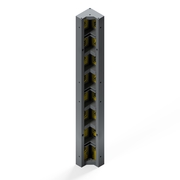
Schalen von rechtwinkeligen Außenecken.
Technische Informationen
Anwendbar in folgenden Systemen
Einwilligung Cookies
Weitere Informationen zum Einsatz von Cookies sowie Opt-Out Möglichkeiten finden Sie in unserer Datenschutzerklärung.