
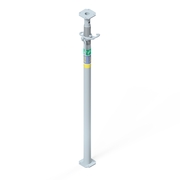
| Surface | galvanizado |
|---|

Hammad Ul Hassan

 Australia
 Austria
 Belgium
 Bulgaria
 Canada
 Chile
Chile
 Chequia
 Dinamarca
 Estonia
 Finlandia
 Francia
 Alemán
 Grecia
 Hungría
 Italia
 Letonia
 Lituania
 Luxemburgo
 Países Bajos
 Noruega
 Omán
Omán
 Perú
Perú
 Polonia
 Portugal
 Qatar
Qatar
 Rumanía
 Arabia Saudí
 Serbia
 Eslovaquia
 Eslovenia
 España
 Suecia
 Suiza
Suiza
 Turquía
 Ucrania
 Emiratos Árabes Unidos
 Reino Unido
 Estados Unidos
How to upload your material list?
1st step: To upload an material list in the Online Shop you have to create a CSV file showing
- the article no. in column A and
- the quantity in column B (pc.)
- optional: business type in column C (1 = sale new, 2 = sale used, 3 = rent)
2nd step: Upload the CSV file
3rd step: Click the "upload material list" button

You can find more information on the use of cookies and opt-out options in our privacy statement.
You can amend your cookie settings at any time using the cookie settings link in the page footer. Please refer to our extensive privacy statement for more information.